Can AI see this site? A browser extension
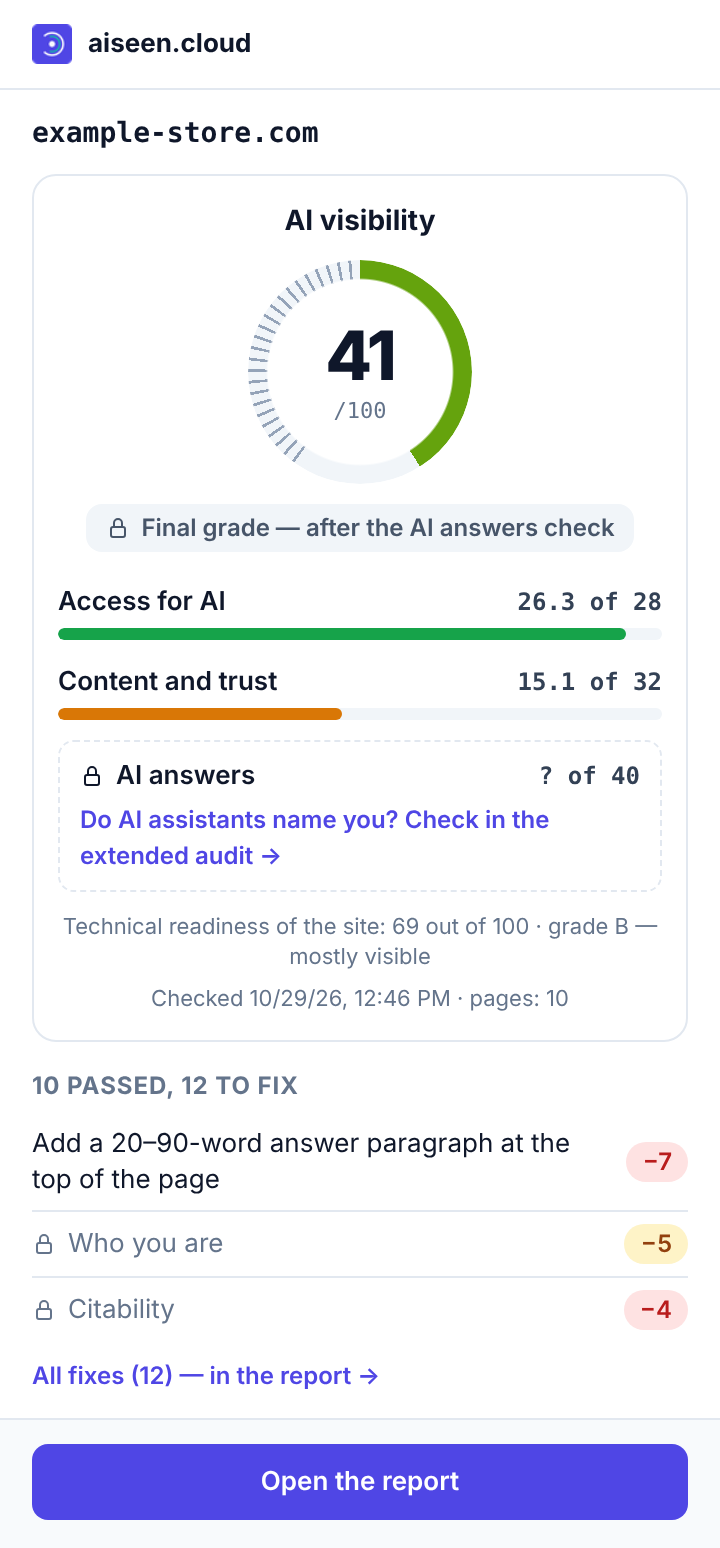
Click the icon on any website to see how visible it is to ChatGPT, Perplexity, Gemini and Claude: a score out of 100 and what to fix first.
Also works in Yandex Browser, Edge and Opera: click “Add to Chrome” — these browsers install extensions from the same store.
- Free
- No sign-up
- The same score as in the report
How it works
- 01
Step 01
Install the extension
One button in the browser store. The aiseen icon appears on the toolbar.
- 02
Step 02
Open a site and click the icon
Your own, a competitor's or any other — the site in the open tab is checked.
- 03
Step 03
The score and what to fix
Checked in the last 24 hours — the score right away. If not, a free check starts right in the window, about 15 seconds.
Bot and app in Telegram
Send the bot a site address — it replies with the score and the top fix, and finishes a new check in 15 seconds. In any chat, type @aiseen_cloud_bot example.com to share a score.
What is sent to aiseen.cloud
Only the address of the open site, and only after you click the icon. The extension does not read your pages, cannot see your history and does nothing in the background.